
Supreme NiuNiu Login: Guide to the H5 Official Site and Bound-Device Login
Supreme NiuNiu login works through account-device binding. Once you register a Supreme NiuNiu account on a device, that device is securely bound to the account, and each account can be bound to only one device at a time. You can then reach the H5 platform from the official Supreme NiuNiu site and access your account on the bound device. This guide covers the full login steps, device binding status, changing or unbinding a device, and key security tips.
Supreme Niu Niu Login Steps
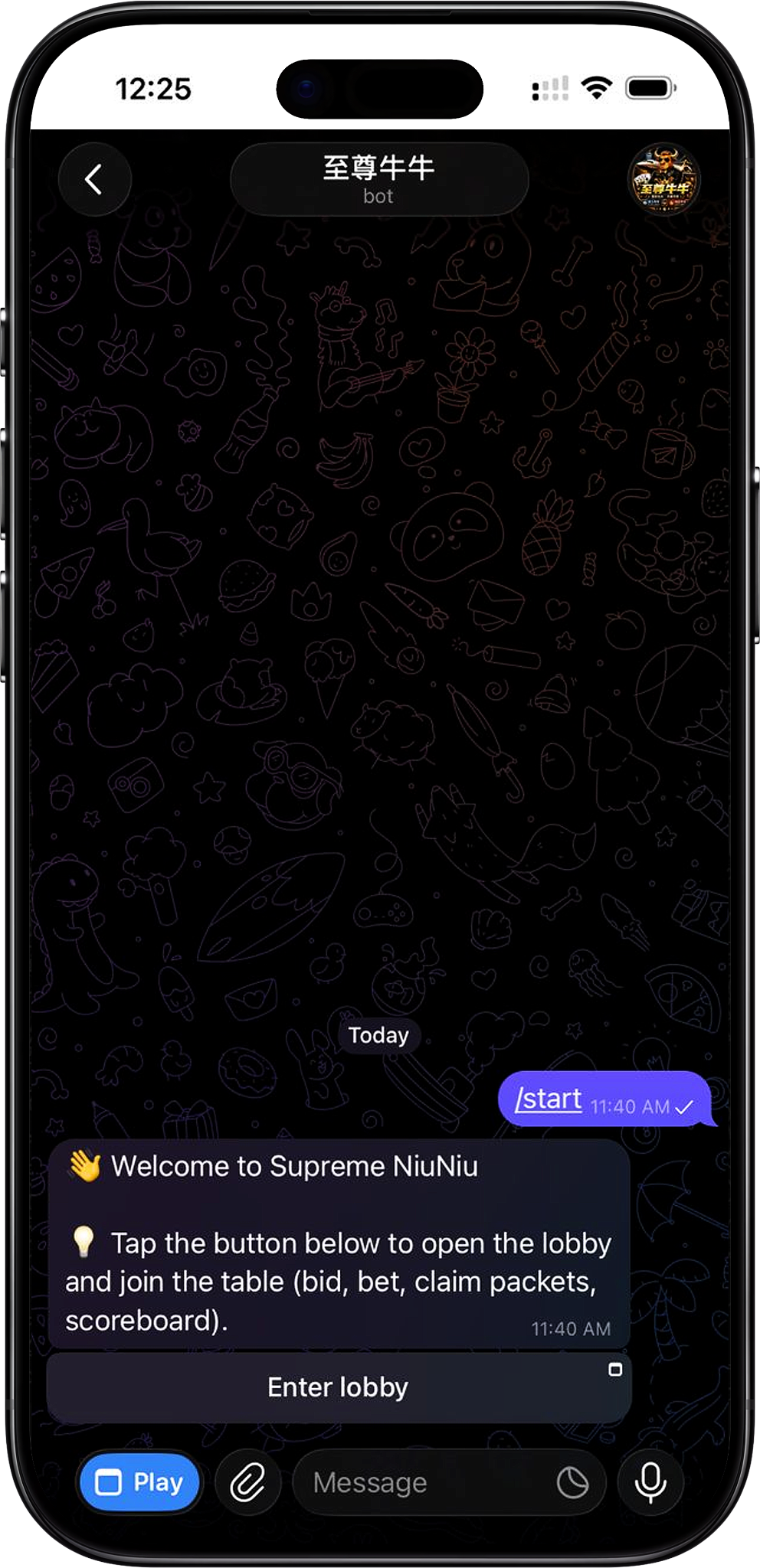
After completing Supreme NiuNiu registration and your first device binding, always log in with the device that is bound to your account. Go to the official Supreme NiuNiu site, then open Supreme NiuNiu through the H5 page. The system grants account access based on the current device's binding status.
Step 1: Use your bound device
Pick up the phone or device you bound when you first registered your Supreme NiuNiu account. Because the platform allows one device per account, using the bound device keeps your account and login environment consistent.
Step 2: Go to the official Supreme NiuNiu site
On your bound device, visit the official Supreme NiuNiu site and use its platform entry to reach Supreme NiuNiu. We recommend using the entry on the official page only, and avoiding links from unknown sources.
Step 3: Open the Supreme NiuNiu H5 platform
After entering the Supreme NiuNiu H5 page from the official site, follow the on-screen prompts to open the platform. Your registered account stays bound to its device, so keep using the currently bound device to access your account.
Step 4: Check your device status
After logging in, open the device management page to view your current device. When the page shows "Current device securely bound", the device is linked to your Supreme NiuNiu account and marked as "Current device".
Step 5: Enter the Supreme NiuNiu lobby
Once your login and device status are confirmed, you can enter the Supreme NiuNiu lobby and use the games, wallet, messages and other platform features available to your account.
Supreme Niu Niu Account and Device Binding
Supreme NiuNiu follows a one-account, one-device binding rule. You must bind your current device when you first register, and it then becomes the account's current device. This mainly helps reduce the risk of account theft and logins from unusual locations.
One device bound per account
The device management page shows that a Supreme NiuNiu account can be bound to only one device at a time. A bound device is shown as the current device, along with its device ID and binding time.
Device binding is set up automatically after registration
When you complete Supreme NiuNiu registration on a new device, you need to confirm "Bind this device". Once you do, the account is bound to that device, and you should use it first for future logins.
How to Check Your Currently Bound Devices
You can check your account's current binding status on the Supreme NiuNiu device management page. It identifies the device in use and provides device security information.
View current device
After opening "Device Management", the page shows whether your current device is securely bound. A device in normal use is marked "Current device", so you can confirm which device is bound to your account.
View device binding details
Current device details include the device type, device ID, binding time and binding rules. For example, when you use the platform through a Telegram Mini App, the device management page shows the matching usage status.
How to Change or Unbind Your Supreme Niu Niu Device
If you need to replace your phone, lose your device, or notice a problem with the current one, use the "Change or unbind device" option on the device management page. Device changes affect account security, so complete the process by following the platform's actual verification steps.
Step 1: Open device management
After logging in to Supreme NiuNiu, go to the Device Management page and first check whether the device shown is the one currently bound to your account.
Step 2: Change or unbind your device
On the Device Management page, click "Change or Unbind Device" and follow the on-screen steps to complete the change. Since an account can only be bound to one device at a time, switching devices means updating the binding between your old device and the new one.
Step 3: Contact support if you can't proceed
If your phone is lost, your device isn't working properly, or you notice suspicious activity, contact Supreme NiuNiu customer support promptly. The Device Management page also advises contacting support right away if you change phones, lose a device, or see unusual activity.
Supreme Niu Niu Login Security Tips
Supreme NiuNiu login and device binding are directly tied to account security. Keep your Telegram login details and device unlock information safe, and regularly check that the current device matches the one you actually use.
Never share your Telegram login or unlock information
Never share your Telegram login details or device unlock information with anyone, to reduce the risk of your account or bound device being accessed by others.
Act promptly if something's wrong with your device
If you change phones, lose a device, or notice suspicious activity, use the platform's Device Management feature or contact support as soon as possible. Don't keep using your account on a device whose security you can't confirm.
Rebinding is required after unbinding
According to the Device Management page, once a device is unbound or related security information is reset, old sessions may expire and you'll need to bind a device again. Before making any changes, make sure you can complete the follow-up steps in the platform's process.
Supreme Niu Niu Login FAQs
Where do I log in to Supreme NiuNiu?
Go to the H5 platform from the official Supreme NiuNiu website, and access Supreme NiuNiu using a device that has completed account registration and device binding.
Why is my Supreme NiuNiu account bound to a device?
Supreme NiuNiu uses a one-account, one-device system to reduce the risk of account theft and logins from other locations. The device you bind at registration becomes your account's current bound device.
Can one Supreme NiuNiu account be bound to multiple devices at once?
No. According to the binding rules on the Device Management page, an account can only be bound to one device at a time.
How do I know if I'm using the bound device?
Open "Device Management" to check. If the page shows "Current device securely bound" and marks it as "Current Device," your device is bound to the account.
Can I still log in to Supreme NiuNiu after changing phones?
When you change phones, you'll need to update your device binding. Use the "Change or Unbind Device" option and follow the prompts. If your old device is lost, unusable or showing suspicious activity, contact support for help.
What should I do if I lose my phone?
If the phone bound to your Supreme NiuNiu account is lost, contact support promptly to resolve device security and binding, so your account doesn't stay linked to a device you can't control.
Log In to Supreme Niu Niu
Go to the H5 platform from the official Supreme NiuNiu website, access your account on a device that has completed registration and binding, and confirm the current device's secure binding status.